Create an Auction
List your medical equipment for sale on Meditech Auction. Follow this guide to create a professional listing that attracts buyers.
Step 1: Open the Create Auction Form
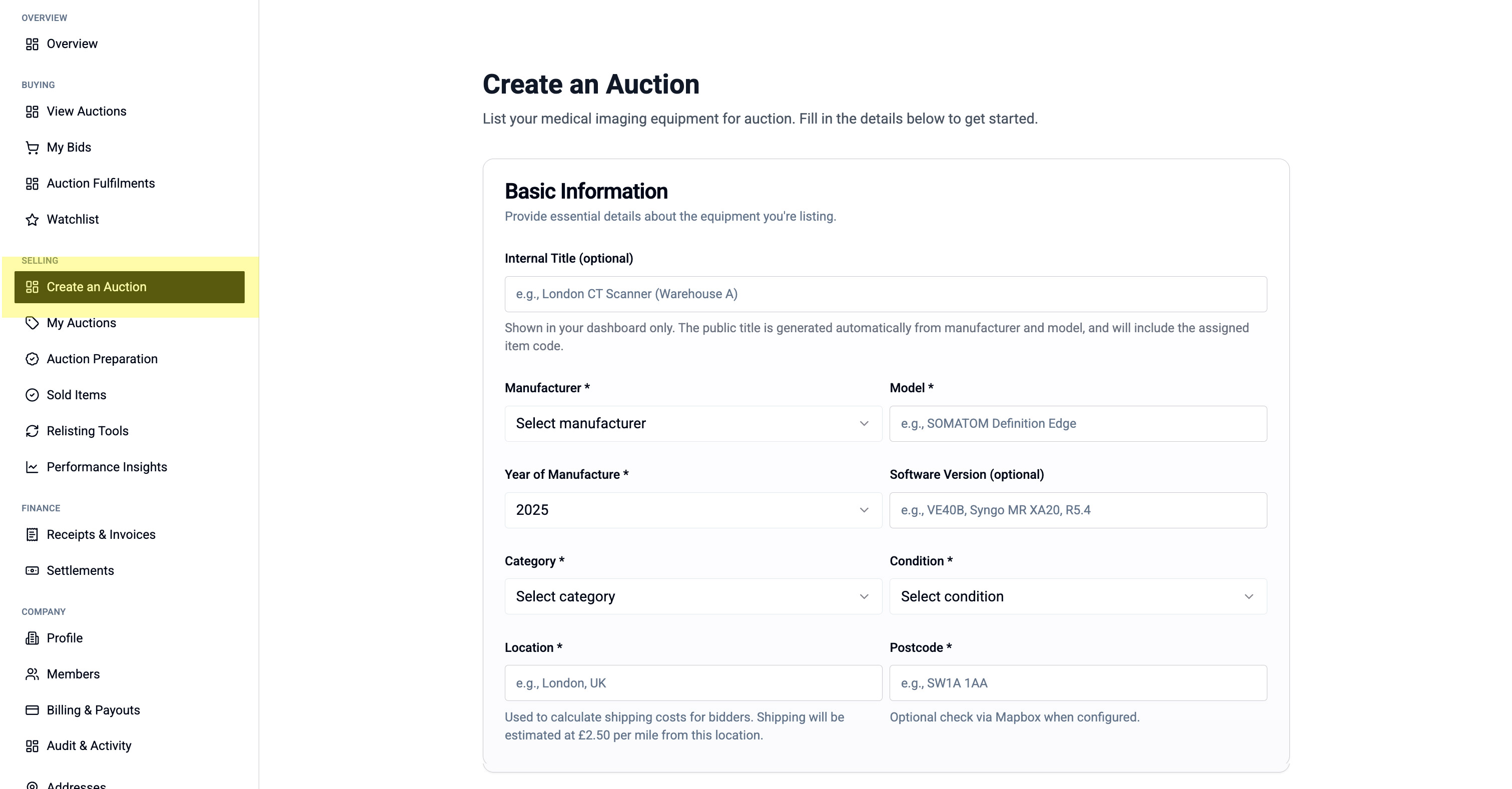
- Click "Create an Auction" in the left menu under "Selling"
- The auction creation form will open
Step 2: Fill in Equipment Details
Basic Information:
- Internal File/Lot number (your reference)
- Manufacturer (e.g., Siemens, GE, Philips)
- Model name
- Year of Manufacture
- Category (select from dropdown)
- Condition (select from dropdown)
- Location/Postcode
Description: Write a clear description of the equipment including:
- Current condition
- Service history
- Any accessories included
- Reason for sale
Pricing & Duration:
- Reserve price (minimum you'll accept)
- Starting bid (optional - can start at £0)
- Auction duration (how long it will run)
Equipment Availability Date:
- When the equipment will be decommissioned and ready for collection
Images & Documents:
- Upload at least one featured image (shows on listing cards)
- Add gallery images (buyers can view in detail)
- Attach supporting documents (service records, manuals, etc.)
Step 3: Standard vs Verified Auctions
Standard Auction:
- Self-listed by the seller
- No third-party verification
- Faster to list
- Lower fees
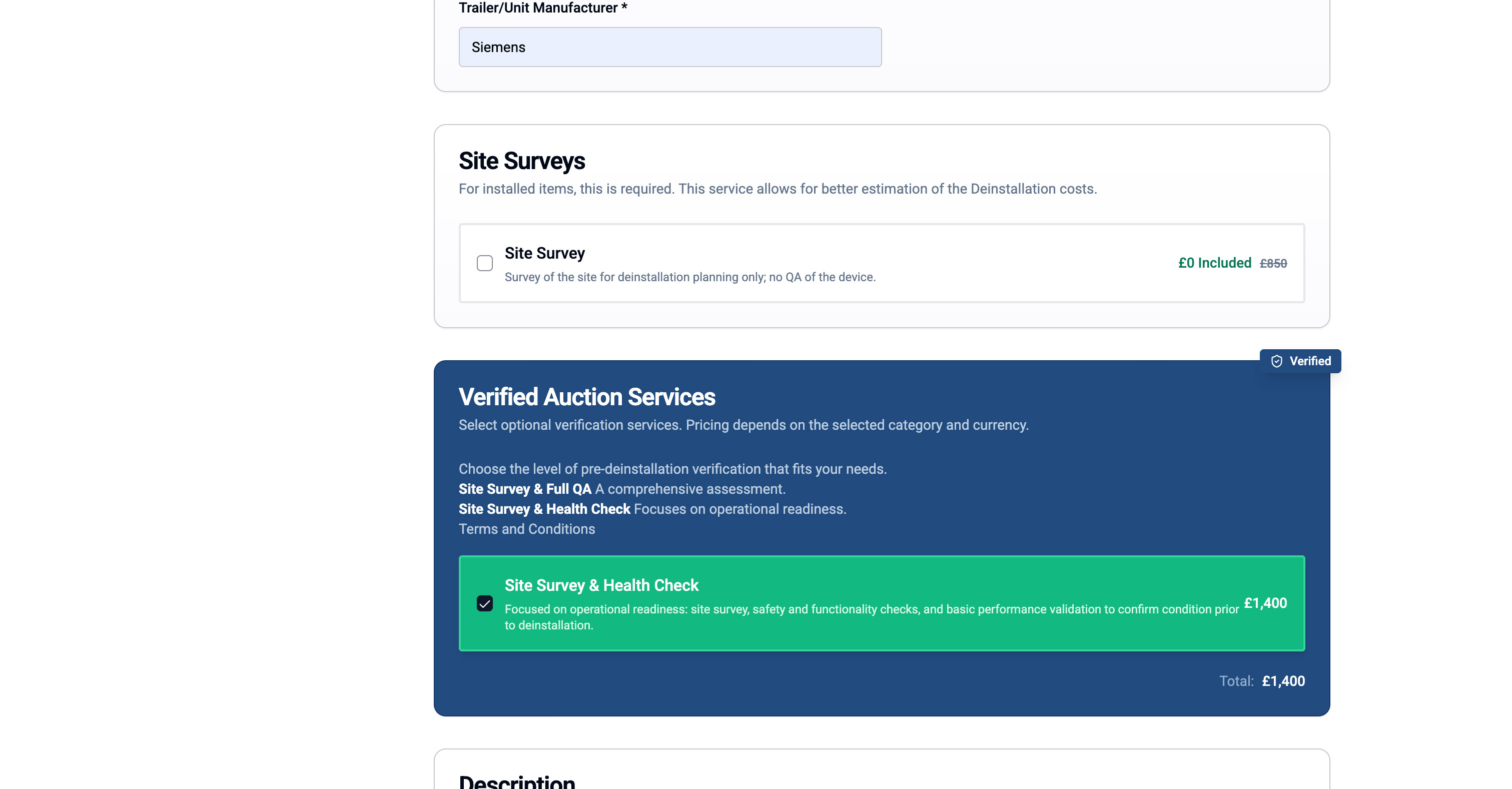
Verified Auction:
- Includes professional inspection
- Third-party verification report
- Increases buyer confidence
- Additional verification fee applies
If your equipment is eligible for verification, you'll see "Verified Auction Services" options appear in the form.
ℹ️ Which should I choose? Verified auctions typically achieve higher sale prices due to increased buyer confidence, especially for high-value equipment.
Some auctions may not be eligible for verified services.
Step 4: Submit Your Auction
Once all required fields are complete:
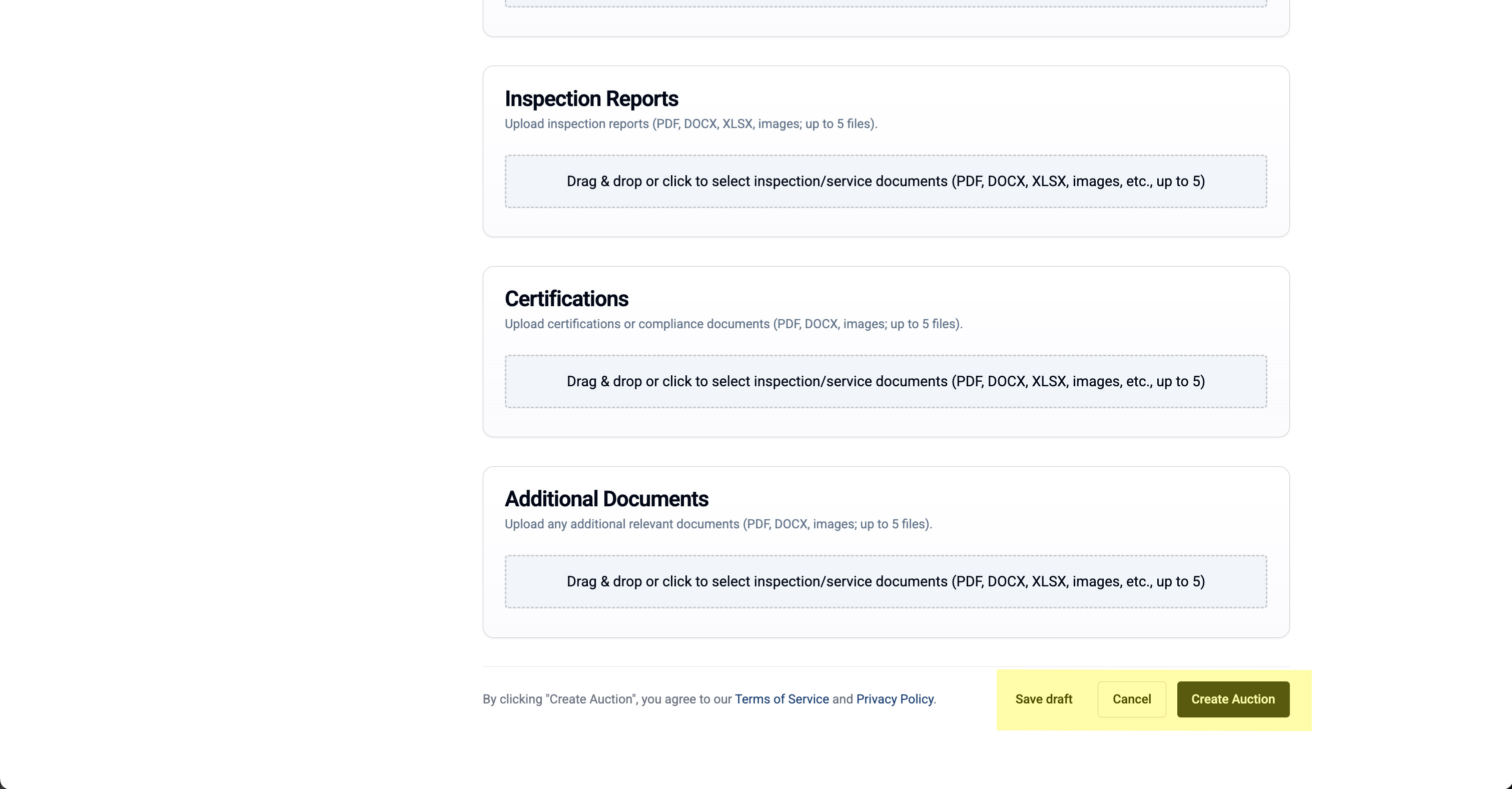
- Click "Create Auction" to submit
- Or click "Save Draft" to finish later
For Standard Auctions:
- Your listing will be reviewed by Meditech staff
- You'll receive a notification when approved
- The auction will go live at the scheduled time
For Verified Auctions:
- You'll proceed to the payment and booking process