
Verified Auctions Process
Verified Auctions include professional inspection and verification services. This process ensures buyers have detailed, independent information about your equipment.
What's Included in Verification?
Choose your verification level:
Option 1: Site Survey
- Basic visual inspection
- Location confirmation
- Photo documentation
Option 2: Site Survey & Full QA
- Everything in Site Survey, plus:
- Comprehensive quality assessment
- Detailed condition report
- Testing (where applicable)
Option 3: Site Survey & Health Check
- Everything in Site Survey, plus:
- Basic functionality testing
- Safety checks
- Performance verification
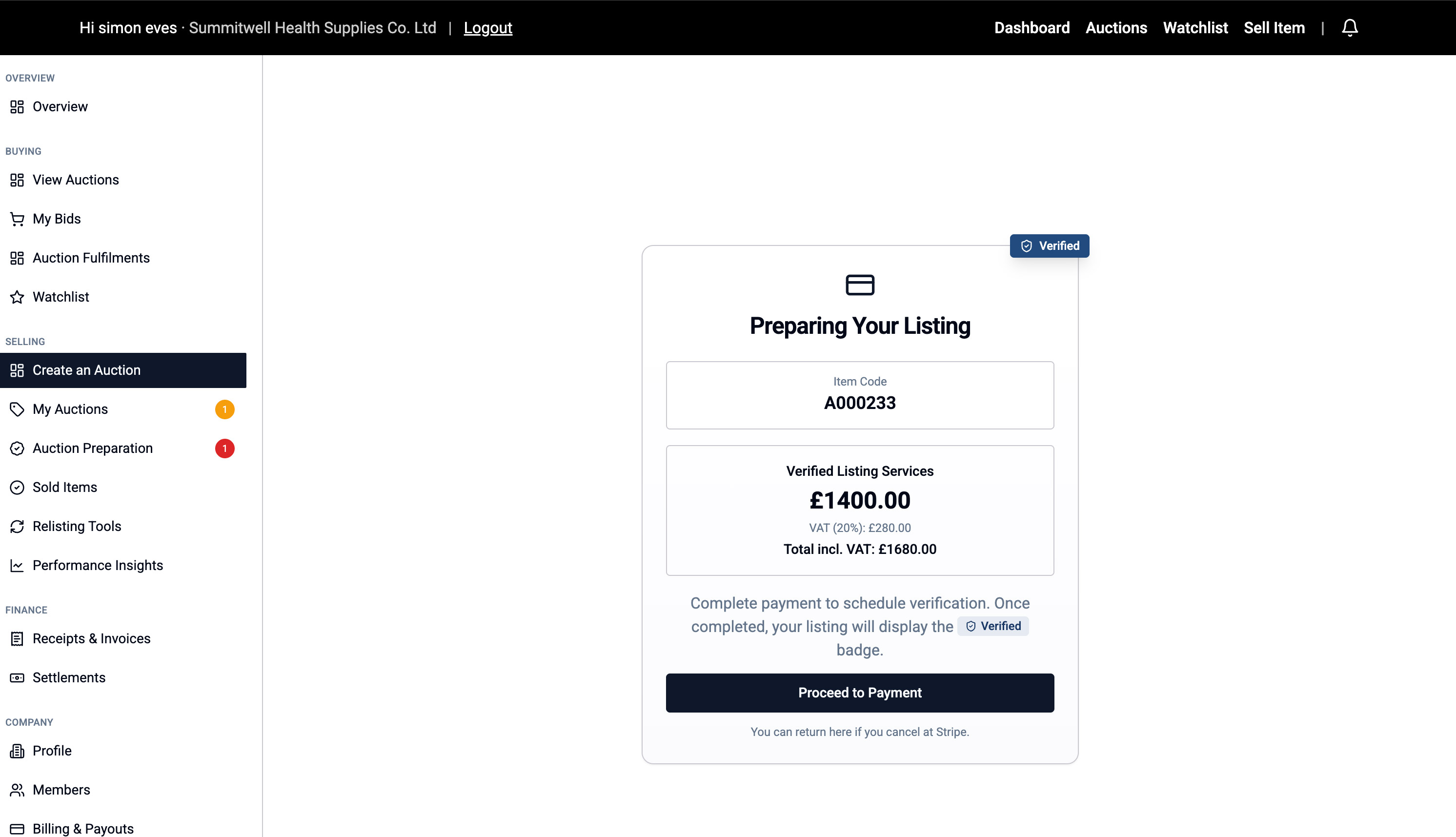
Step 1: Pay for Verification
After clicking "Create Auction":
- You'll see a "Preparing Your Listing" screen showing the verification cost
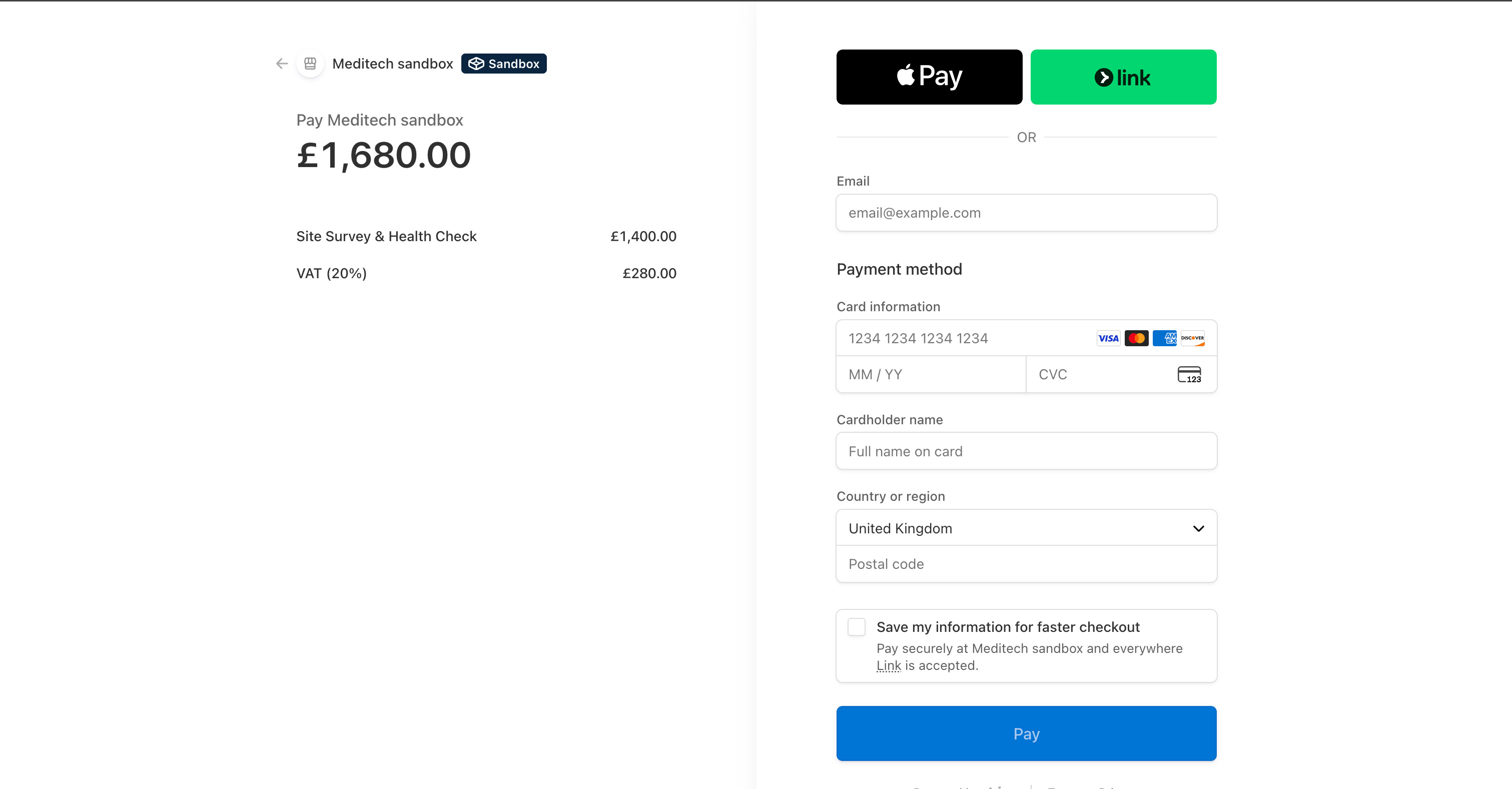
- The page automatically redirects to Stripe Checkout
- Complete your payment securely through Stripe
- You'll be returned to Meditech Auction
Step 2: Schedule Your Inspection
After payment:
- You'll land on "Payment Received - Schedule Your Inspection"
- Enter your preferred inspection date
- Optionally add an alternative date
- Confirm your onsite contact details (auto-filled from your account)
- Add an alternate contact if someone else will be present
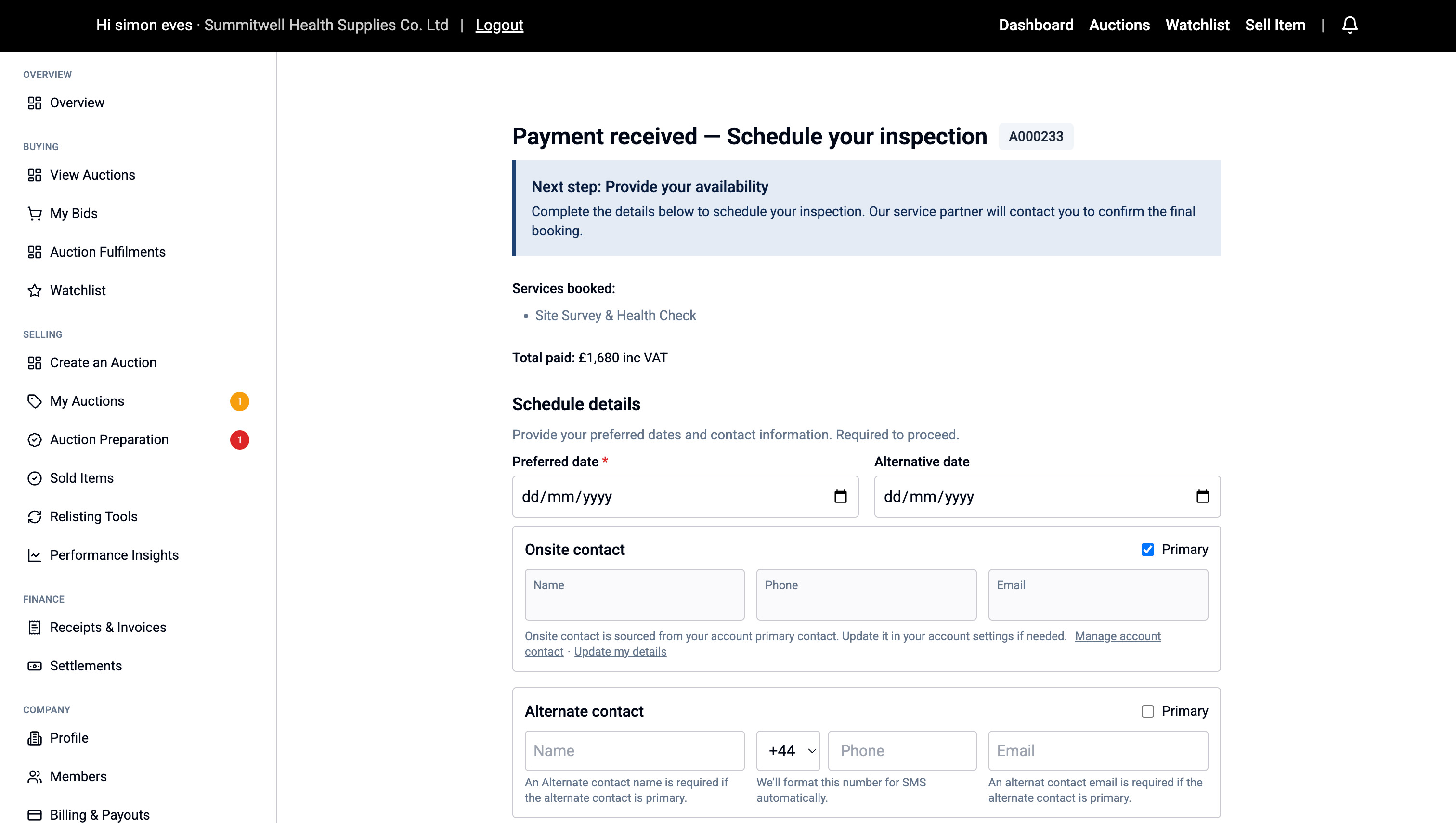
Click "Confirm Booking" to submit.
Step 3: Booking Confirmation
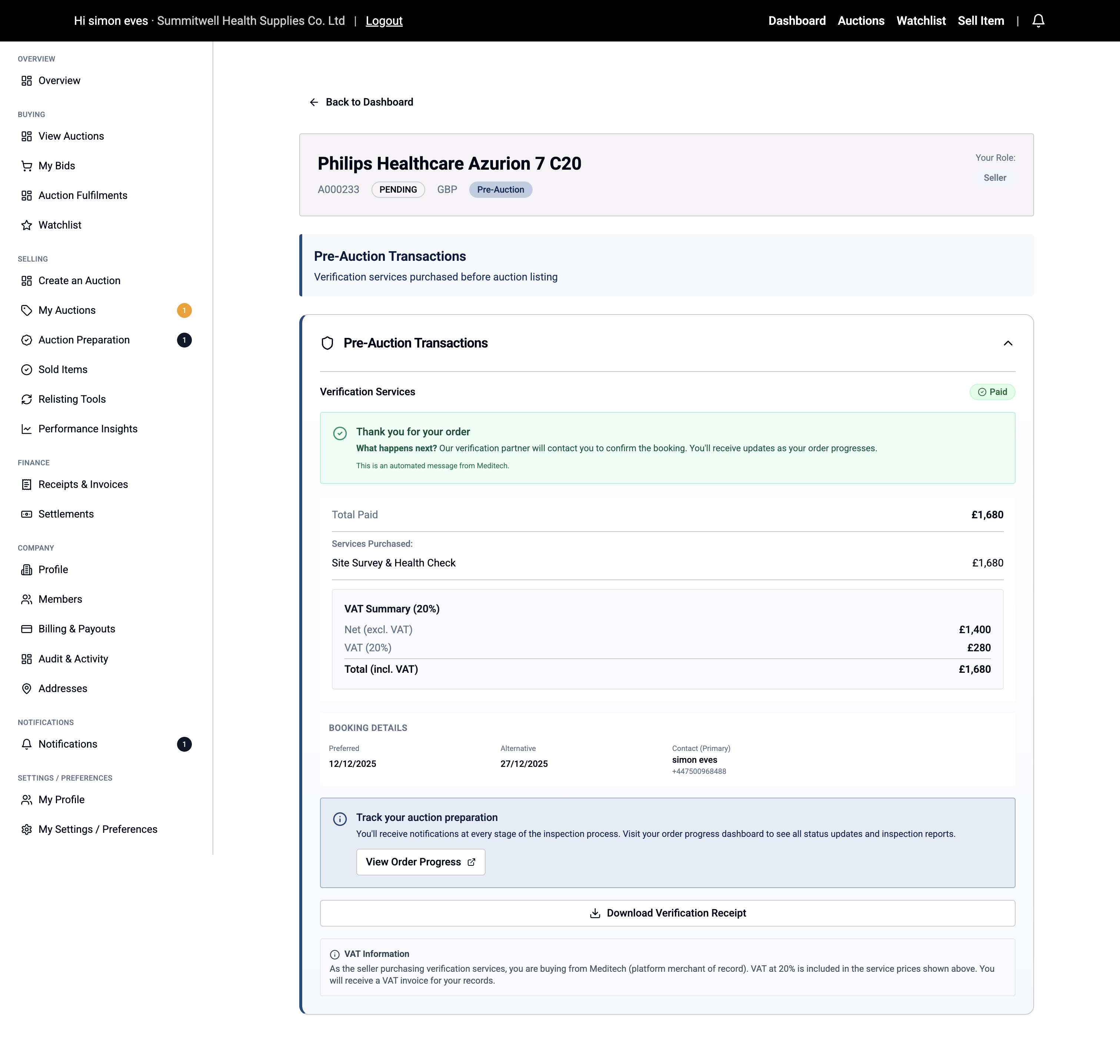
You'll see:
- A confirmation page with your Pre-Auction Transaction details
- Payment status showing "Paid"
- A confirmation email will be sent
- Notification badges appear next to "My Auctions" and "Auction Preparation" in the menu
What Happens Next:
- Your verification partner will contact you to finalize the inspection appointment
- You'll receive updates via email and on-site notifications
- After inspection, the report will be added to your listing
- Your auction will go live once verification is complete